Friday, 28 February 2014

Friday 28th February 2014

Towards this afternoon, I started to get hold of the screen grabs that I had taken on Wednesday while Dan and myself were starting to edit the audio and final parts of footage to make our product of a high technical standard. For the first part of editing, we moved the audio from the CD onto the data drive for the mac and then from there we imported the CD track to Premiere pro which then allowed Dan to drag and position the audio on the timeline. However, it was my job to rename the files before they were imported onto the editing timeline.

Below is a picture to help explain the step above to show how I renamed the audio files and how they were positioned on the Premiere Pro timeline.


After we had positioned the sound effect of a peregrine on the timeline, I quickly made sure that I had added the flip-over transitions on both sides of the map to make it stand out but I had to make sure that the flip over on either side of the map amounted to the same time frame, otherwise it could look jumpy or even run over the next scene of footage which would be a disaster. I was really happy with the overall idea behind the map as it flipped-over and showed up with the words "almost to the point of extinction, here in the South West" and then straight after the words it filled over again which then lead to a fade for the next scene (shows that we used many effects to make our product of a high standard.

Below a picture has been used to help demonstrate the use of effects towards the South West map.


Wednesday, 26 February 2014

Wednesday 26th February 2014- 10:45- 12:30

At the start of the lesson, myself and Dan went down to the technicians office to get the mac as we wanted to play around with the sound effects for the project, as we had worked out that from the raw footage, we didn't have enough sounds of birds, but then I remembered from last week that on one of the audio CD's it contained a Peregrine call which I thought wold be useful to use for the bird flying sequence as they would call whilst gliding in the air across a field. However, I told Dan where abouts that I wanted the audio track too go and so it was up to him to position it in the correct position. After the clip had been placed, we then got together and played the clip over and over again to make sure that it sounded good and that it did in fact fit with the video clip of the Peregrine's flying sequence.

I am going to hopefully write up a blog post with a screen grab to show how I edited the map together with a flip-over on either side to give a force effect.

Tuesday, 25 February 2014

Tuesday 25th February 2014- 2:30- 4:00 pm

Towards this afternoon's lesson, myself and Dan sat down together and carried on with the editing list that we had started in the previous lesson. At the end of the lesson, we had finished of the editing list and we were going to upload it to our blogs as the lecturer told us too.

Below is the editing list for our film project- Unit 43;


Tuesday 25th February 2014- 9:15- 10:45 am

At the start of today's lesson, myself and Dan sat down together to have a look at the 5 sec clip of footage that he had shot of pigeons within the town. I had proposed to position this footage with the voice over "Pigeons in large numbers continue frequent the city streets, attracted by people feeding them" However, if the footage could fit the audio, then we would swap out the 3-4 sec clip of a pigeon on the path at Plymouth Hoe (refer back to Plymouth scenes on the storyboard- shots 17 to 21).

I sat down with Dan and together we edited out the footage of the pigeon walking up the path and we replaced it with a 3 sec clip taken upon Plymouth Hoe which portrayed a large flock of pigeons.


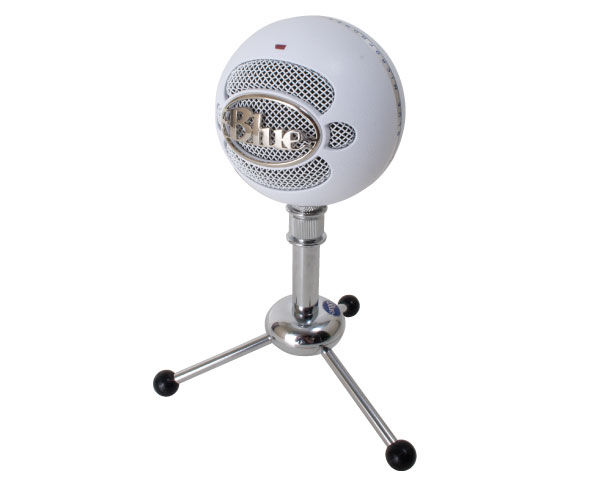
Also, sometime during the day, I am planning to ask the teacher about how I can change all of the audio files to make them sound the same (equal levels) as in some places after replaying the project, I noticed that the audio sounds different which could be due too not recording all of the audio on the same day but also because in some scenes I used my blue snowball mic as well as recording the conclusion for the project on my Sony handy-cam.


Just before the lunch break, I decided that I was going to position a transition called DIPT TO BLACK which when justified with Dan, we both agreed that it would be a good idea as it would help to split the scenes up. For example I have used a screen grab below which helps to portray where the transition is positioned to split up the start of the war years, from the opening scene.


Monday, 24 February 2014

Monday 24th February 2014

As soon as I arrived back to college after half term, I made sure that I obtained the photographs that Dan had captured from the interview to show our contributions towards the production process as Dan took some photos where as I participated in the audio and some filming for the interview.

Below, are a few pictures which I have used to demonstrate my personnel contribution towards the interview: (refer back to the storyboard- shot 21)


Sunday, 23 February 2014

Sunday 23rd February 2014

Over the past week, I have worked a lot towards my film project as I have experimented with the idea behind using some green screen footage as I used a short clip of a Peregrine Falcon which had been captured at a quarry and then I filmed a piece with me talking to the camera which turned out really well. Before the camera was setup I downloaded an app too my iPad called auto cue which meant that I could set the words to whatever speed that I required and then they would scroll across the screen so I could read the wording (refer back to storyboard- shot 25).


 Also, I created the outro for the film project which worked well as I credited additional footage/ pictures that I had been able to get hold off as well as creating my very own logo for our film company which was called WILD TIME but the L and D within the wording was in a different colour which signified the names of the people in the group i.e. Luke and Dan.


Tuesday, 18 February 2014

Sunday 16th February 2014

Towards the afternoon, since I had the mac at home which I was borrowing from college, I had decided to edit the interview footage that we had captured the day before up on Plymouth Hoe. I edited the footage using IMovie from home and then after editing the audio levels and quality I then exported the interview footage over onto the mac and positioned the clip with the rest of the project on Premiere Pro’s timeline.