Friday, 28 February 2014

Friday 28th February 2014

Towards this afternoon, I started to get hold of the screen grabs that I had taken on Wednesday while Dan and myself were starting to edit the audio and final parts of footage to make our product of a high technical standard. For the first part of editing, we moved the audio from the CD onto the data drive for the mac and then from there we imported the CD track to Premiere pro which then allowed Dan to drag and position the audio on the timeline. However, it was my job to rename the files before they were imported onto the editing timeline.

Below is a picture to help explain the step above to show how I renamed the audio files and how they were positioned on the Premiere Pro timeline.


After we had positioned the sound effect of a peregrine on the timeline, I quickly made sure that I had added the flip-over transitions on both sides of the map to make it stand out but I had to make sure that the flip over on either side of the map amounted to the same time frame, otherwise it could look jumpy or even run over the next scene of footage which would be a disaster. I was really happy with the overall idea behind the map as it flipped-over and showed up with the words "almost to the point of extinction, here in the South West" and then straight after the words it filled over again which then lead to a fade for the next scene (shows that we used many effects to make our product of a high standard.

Below a picture has been used to help demonstrate the use of effects towards the South West map.


Wednesday, 26 February 2014

Wednesday 26th February 2014- 10:45- 12:30

At the start of the lesson, myself and Dan went down to the technicians office to get the mac as we wanted to play around with the sound effects for the project, as we had worked out that from the raw footage, we didn't have enough sounds of birds, but then I remembered from last week that on one of the audio CD's it contained a Peregrine call which I thought wold be useful to use for the bird flying sequence as they would call whilst gliding in the air across a field. However, I told Dan where abouts that I wanted the audio track too go and so it was up to him to position it in the correct position. After the clip had been placed, we then got together and played the clip over and over again to make sure that it sounded good and that it did in fact fit with the video clip of the Peregrine's flying sequence.

I am going to hopefully write up a blog post with a screen grab to show how I edited the map together with a flip-over on either side to give a force effect.

Tuesday, 25 February 2014

Tuesday 25th February 2014- 2:30- 4:00 pm

Towards this afternoon's lesson, myself and Dan sat down together and carried on with the editing list that we had started in the previous lesson. At the end of the lesson, we had finished of the editing list and we were going to upload it to our blogs as the lecturer told us too.

Below is the editing list for our film project- Unit 43;


Tuesday 25th February 2014- 9:15- 10:45 am

At the start of today's lesson, myself and Dan sat down together to have a look at the 5 sec clip of footage that he had shot of pigeons within the town. I had proposed to position this footage with the voice over "Pigeons in large numbers continue frequent the city streets, attracted by people feeding them" However, if the footage could fit the audio, then we would swap out the 3-4 sec clip of a pigeon on the path at Plymouth Hoe (refer back to Plymouth scenes on the storyboard- shots 17 to 21).

I sat down with Dan and together we edited out the footage of the pigeon walking up the path and we replaced it with a 3 sec clip taken upon Plymouth Hoe which portrayed a large flock of pigeons.


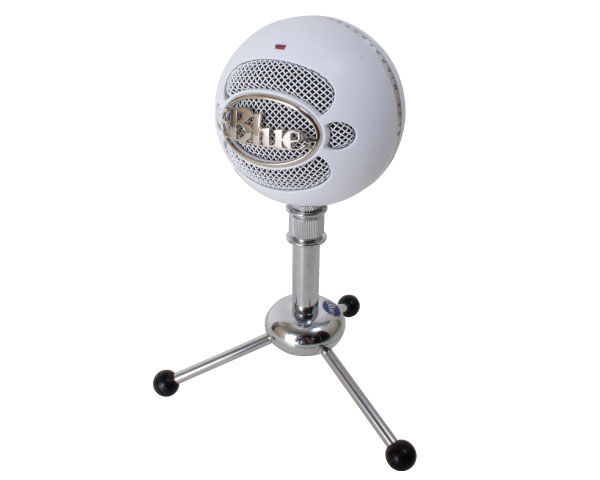
Also, sometime during the day, I am planning to ask the teacher about how I can change all of the audio files to make them sound the same (equal levels) as in some places after replaying the project, I noticed that the audio sounds different which could be due too not recording all of the audio on the same day but also because in some scenes I used my blue snowball mic as well as recording the conclusion for the project on my Sony handy-cam.


Just before the lunch break, I decided that I was going to position a transition called DIPT TO BLACK which when justified with Dan, we both agreed that it would be a good idea as it would help to split the scenes up. For example I have used a screen grab below which helps to portray where the transition is positioned to split up the start of the war years, from the opening scene.


Monday, 24 February 2014

Monday 24th February 2014

As soon as I arrived back to college after half term, I made sure that I obtained the photographs that Dan had captured from the interview to show our contributions towards the production process as Dan took some photos where as I participated in the audio and some filming for the interview.

Below, are a few pictures which I have used to demonstrate my personnel contribution towards the interview: (refer back to the storyboard- shot 21)


Sunday, 23 February 2014

Sunday 23rd February 2014

Over the past week, I have worked a lot towards my film project as I have experimented with the idea behind using some green screen footage as I used a short clip of a Peregrine Falcon which had been captured at a quarry and then I filmed a piece with me talking to the camera which turned out really well. Before the camera was setup I downloaded an app too my iPad called auto cue which meant that I could set the words to whatever speed that I required and then they would scroll across the screen so I could read the wording (refer back to storyboard- shot 25).


 Also, I created the outro for the film project which worked well as I credited additional footage/ pictures that I had been able to get hold off as well as creating my very own logo for our film company which was called WILD TIME but the L and D within the wording was in a different colour which signified the names of the people in the group i.e. Luke and Dan.


Tuesday, 18 February 2014

Sunday 16th February 2014

Towards the afternoon, since I had the mac at home which I was borrowing from college, I had decided to edit the interview footage that we had captured the day before up on Plymouth Hoe. I edited the footage using IMovie from home and then after editing the audio levels and quality I then exported the interview footage over onto the mac and positioned the clip with the rest of the project on Premiere Pro’s timeline. 

Saturday 15th February 2014

On this date we had proposed to hold the interview with a member of South West Peregrine Group, Roger Finnamore. When we arrived at Plymouth Hoe for the interview, due to the weather conditions, we decided to move the location to a much suitable destination where it wasn’t too windy as this could have had a massive effect on the audio, perhaps resulting in my partner and I having to go out and repeat the interview again in order to receive the audio that we would have liked. Overall the interview went really well and I was extremely pleased with the audio, camera angles which helped to make the interview look more direct as the interviewee while talking was waving his hands around to tell what relation the city centre had to the Peregrine Falcon.

Also, to evidence that myself and my partner were using the equipment effectively, he took along a DSLR camera to take some digital photographs of us using the voice recorder, camera and the mic piece which was swapped around myself and the interviewee and clipped onto our jumpers.

Wednesday, 12 February 2014

Wednesday 12th Febuary- 9:15- 10:45

At the start of today, I had finished my graphic design work so I asked if I could go down to book out a Mac book over half term, but I was told by the teacher to email the technician beforehand as I could then use a screenshot of the email in my new blog post.

Tuesday, 11 February 2014

Tuesday 11th Febuary- 2:30- 4:00

At the start of this afternoon's lesson, I portrayed my recent blog post across to the teacher who then advised me to visit the library and ask for a sound effect CD as I could understand what other types of sound effects would be available to use for our documentary.

We have discussed that Dan will try and film a 3 sec clip of the landfill site in Tavistock as at the moment, we only have a picture and I felt as if it would make the project more interesting. Also, I am going to film the interview on Plymouth Hoe on Saturday 15th February as the interviewee is free for 1 hour but also the weather will be dry. However, it will be easier to set up this time as I remember where the cameras will be positioned as well as where myself and the interviewee will stand.

On Saturday, before we start to film, I will take pictures of the setup, location and interviewee as then when I come back, or over half term when I create my next post, I will be able to use those pictures to evidence the production process.

At the end of the day I went to the library and took out 6 CD's on my college card which provided me with transport, birds, and water effects etc.

Tuesday 11th Febuary- 9:15- 10:45

At the start of the lesson, I got together with the teacher to discuss what I had written up for the Foley activity for part 1 and they were happy with the work as well as giving some ideas on how to complete part 2 for the document. This lesson I am hopefully going to finish part 2 for the Foley activity which will talk about ideas for sound effects in our Film documentary.

Proposed sound effects

Weather

SEA WASH- Calm

SEA WASH- Choppy

RIVER- Small

Animals

PEREGRINE- Calling, coming into feed

SEAGULLS- Calling

PIGEONS- Calling

Vehicles/motor

Harrier Jet, aircraft, vertical take-off

Cyclist/ cars going past

Voice-over

Voice-overs- Obtained using a voice recorder (Blue Snowball)#

Footsteps (possibility of using this when we walk into the camera shot on Plymouth Hoe)


How I am going to obtain these shots

Voice overs- Will be recorded using either a Snowball mic at home or using the recording devices within college.

The majority of sound effects above will be imported into our editing sweet via a sound effect CD which our teacher has obtained. However, before I wrote this list out, I had been supplied with a sample list on paper which detailed the sound effects in which would be on the CD. Also, if I can't get any sounds for the animals calling i.e. Peregrine, Seagulls and Pigeons, then I have decided to go online and find a effect or I could look back on some of my previous footage for my personnel projects which would mean that I could copy those effects and use within our film project.


Monday 10th Febuary- 6:00- 9:00pm

As soon as I arrived at home from college, I started to convert my raw footage and editing from my MAC at home where I had used I movie, but I converted the sections into mp 4 files using QuickTime player which wasn't easy, but  I found that it was easier once I had repeated the process over and over again. However, when I was converting the footage and voice overs from I movie at home, I created 2 parts for every section. for example, for the first section I created the files LC_Unit_43_A which was for just the footage and then I also saved another version LC_Unit_43_A_Audio which included the footage and audio for the first section (intro+ war years).


Sunday, 9 February 2014

Sunday 9th Febuary 1:00pm- 3:00

Towards the afternoon, I started to complete the document that our teacher had assigned for us to start over the weekend. After 1 hour of work, I had finished of the first and second parts for the document which I had picked Dracula as my chosen scene in a film to analyse.


Wednesday 5th Febuary 10:45- 12:30

At the start of the lesson, we got together as a group and discussed what work was left to do individually, but we didn't have anything apart from our individual work for the Foley activity which the teacher had set us to start over the weekend.

Tuesday, 4 February 2014

Tuesday 4th February- 2:30- 4:00pm

Towards the start of the lesson, I added the final details to my Sound Mountain document as I hadn't given a definition of Foley as well as the sound layers for a romantic scene. After I had completed the document, I then worked on my blog to update with a new post stating what I had achieved and what I set out to achieve by next lesson which will be to make a start on the Foley document and perhaps finish it off by the end of today's lesson.

Here is my Sound Mountain document;


Tuesday 4th January- 9:15- 10:45

Today, I am going to get my sound mountains finished as then we can start to glimpse back at the filming that was incomplete last Wednesday due to the weather changes. Also, we had to record the interview multiple times as the microphone stopped recording the interviewee's voice, so we are going to propose a new date for the filming to take place on Plymouth Hoe, but it was still worth visiting the destination as we now know where to position the cameras and ourselves for the second shoot. The new proposed date for the interview to take place will  hopefully be Tuesday 11th or Wednesday 12th depending on when our interviewee will be available.